Private Investigator Public Records Internet Search Privacy Reporting - PI Buzz

Private Investigator | Public Records | Internet Search | Privacy | Reporting | Personal Information | Adoption | Genealogy |

January 25th, 2010

Private Investigator Research Links - Week of January 22

  • As home pages are found for American Universities granting bachelor or advanced degrees, they are added here, one page per university."

  • "How do you cite sources? The means to identify sources is to provide citations within your text linking appropriate passages to relevant resources consulted or quoted. This can be done through in-text parenthetic notes, footnotes, or endnotes. In addition, a bibliography or list of works cited, is almost always placed at the end of your paper. The citation system and format you use will be determined by the citation style you choose. "

  • "As you approach the witness with printouts of the web pages, you are stopped in your tracks: "Objection, lack of foundation." "

  • "We maintain and operate one of the nation’s largest privately held telecommunications archives, operate two museums and conduct educational programs on telephone history."

  • "iMapflickr.com allows non-techie users to create fully customizable embeddable google maps of geocoded flickr photosets or search results. You can use it to create maps of your own photos, or other users."

  • "CrowdEye is a new generation of search engine which looks at the worldwide web in a new way. By tracking discussions on Twitter, we can help our users find out what’s important to them right now in real time."

The rest of my favorite links are here.

January 16th, 2010

Private Investigator Research Links - Week of January 15

The rest of my favorite links are here.

January 9th, 2010

Private Investigator Research Links - Week of January 8

  • Most requested public records online services with links to county and state business, crime, birth, marriage, death, real property, contractors, professional licenses records in California.

  • "Readable is an application that helps you read more of the web. It transforms text on any website using fonts, colors, and layouts of your choosing."

  • Topsy ranks results based on how well they match your search terms, and the influence of the people talking about them.

  • "Jury duty is bad enough, but imagine not being able to check your phone or e-mail to help relieve the boredom. That’s the new rule in Michigan, where trial judges are now required to order jurors not to use phones or other electronic devices while in trial or in deliberations. Telling your Twitter followers you are stuck at the courthouse is not likely to tip the scales of Lady Justice, but Googling for background info on a case is the legal equivalent of ripping off her blindfold. "

  • "Accused by defense attorneys of violating a judge’s order, five members of the jury that convicted Dixon of misdemeanor embezzlement have been called to appear at a motions hearing Jan. 6, in which the mayor will seek a new trial. Dixon’s attorneys have accused jurors Nos. 3, 6, 8, 11 and 12 of becoming friends on Facebook, a social networking site, and sending messages to each other there, in violation of Baltimore Circuit Court Judge Dennis Sweeney’s order not to discuss the case."

  • "recent cases in which jurors have caused a stir by using social media such as Twitter to communicate about their jury service. Taking the issue on proactively, the Michigan Supreme Court has adopted a new rule requiring judges to admonish jurors to not use electronic communication devices during trial, and not to use them during breaks to comment or conduct research on the case. "

  • "Indiana Supreme Court committee took up the issue of banning iPhones, cell phones, laptops, social network sites such as Twitter and Facebook, by jurors while they are deliberating a case."

  • "Kansas Supreme Court denies request to Tweet or make audio recordings

  • Apparently sending Tweets during a trial is considered “broadcasting” and the Court can ban it according to Federal Rule of Criminal Procedure #53. From United States v. Shelnutt (M.D. Ga. Nov. 2) (H/T Volokh),"

  • "The Academic Family Tree is a nonprofit, user content-driven web database that aims to accurately document and publicly share the academic genealogy of current and historical researchers across all fields of academia. "

  • Search Statewide Official Records

The rest of my favorite links are here.

January 4th, 2010

California and Nationwide Traffic Citation Records

Even if you don’t need to identify traffic citations for your subject, a citation database places your subject in a region on a specific date.

Monterey County, California has a traffic citation database separate from the court case traffic index that you can search by name and date of birth. Supply the driver license number to check the traffic ticket payment system for violations and the date when traffic school was completed.

Search by name with a date of birth at the San Mateo County site to locate active citations.

A jurisdiction’s traffic citation payment site may require a case docket number or a citation number and some government agencies contract with commercial payment services, which have varying field input requirements. The government agencies may specify that citation information can only be retrieved with a citation number. But Fresno State, for example, allows a search by license plate number.

Another commercial site has the option of finding a citation by vehicle plate and state.

Subscribe to links to research sources and new public records sites, delivered by RSS or viewed through your Twitter application at: http://twitter.com/PIbuzz.

January 3rd, 2010

Private Investigator Research Links - Week of December 28

The rest of my favorite links are here.

December 26th, 2009

Private Investigator Research Links - Week of December 21

Posted from Diigo. The rest of my favorite links are here.

December 19th, 2009

Private Investigator Research Links - Week of December 14

Posted from Diigo. The rest of my favorite links are here.

December 12th, 2009

Private Investigator Research Links - Week of December 7

Posted from Diigo. The rest of my favorite links are here.

December 4th, 2009

Private Investigator Research Links - Week of December 1

Posted from Diigo. The rest of my favorite links are here.

November 19th, 2009

State and Federal Case Law Now On Google

Google Scholar is indexing the case law in all 50 states - Court of Appeals and Supreme Court - and the federal courts.

As with the other Google search engines, Google Scholar makes use of its own advanced search operators. Search by keywords, personal names, inclusive dates, and specify one or more states in a single search. Options on a single search are limited to 1) Search all legal opinions and journals; 2) Search only US federal court opinions or, 3) Search only court opinions from self-selected states.

Wondering which courts are included and the inclusive dates? Ask Google Scholar Help:

Which court opinions do you include?

Currently, Google Scholar allows you to search and read opinions for US state appellate and supreme court cases since 1950, US federal district, appellate, tax and bankruptcy courts since 1923 and US Supreme Court cases since 1791 (please check back periodically for updates to coverage information). In addition, it includes citations for cases cited by indexed opinions or journal articles which allows you to find influential cases (usually older or international) which are not yet online or publicly available. Legal opinions in Google Scholar are provided for informational purposes only and should not be relied on as a substitute for legal advice from a licensed lawyer. Google does not warrant that the information is complete or accurate.

View a list of search results with citations and a 2-line summary of text where some or all of the keywords appear. From here you can select to read an entire case or view case summaries that have cited the selected case.

My search query [(garbage OR trash) (curb OR curbside) +privacy], limited to California courts, 1970-2009 returned 33 cases.

October 25th, 2009

Social Networking - Legal and Ethical Issues for Lawyers and Investigators

Should an investigator or attorney “friend” a prosecution witness in order to find impeachment evidence? Are there legal or ethical bars to surreptitiously gathering data from social network profiles? Should the intent of the user have any bearing on the formulation of law related to access? These and more questions were stirred up in the mix of case studies presented at the (first, annual?) symposium, Social Networks: Friends or Foes? Confronting Online Legal and Ethical Issues in the Age of Social Networking, sponsored by UC Berkeley School of Law. Yeah, a long title but, hey, these folks are academics. And the case studies constituted just the first panel (”Problems Unique to Social Networking and the Law”) of an extraordinary assemblage of academic, government, activist, policy and practicing lawyers rounding out the 5-panel day.

Much of the discussion concerned access to profile content, - the difference between civil and criminal (where there’s the familiar prosecution/defense imbalance) cases - whether certain information should be private even if it can be viewed by unintended parties. For example, should employers be able to view deleted personal information? No one mentioned the issue of whether schools have a legal right to compel students to turn over their user names/passwords (See: “Area School Wants Access To Students’ Social Networking”). There may be instances when a legal requirement for disclosure would apply. Lauren Gelman, Executive Director, Stanford Law, Center for Internet and Society, raised the question of whether evidence in the online sites could be used, say, in divorce cases, to support evidence gathered by other means. The Deputy General Counsel for Facebook took the position that user’s profile content is private, begging the audience to sue the company to settle issues of access. Yeah, the big brother of the moment IS laughing.

Bill Gallagher, a criminal defense attorney, noted that a circumvention of the Facebook corporate roadblock would be to get witnesses to bring to court copies of their social network profiles. But it’s impossible to get a judge to compel a witness to do so. He added that defense attorneys have to get a cooperative prosecutor to issue a subpoena in order to get access to a social network profile. Life is very different for government attorneys and law enforcement…

But this was an environment in which those who might be adversaries outside the ivory walls engaged in friendly disagreements, more in the form of musings than hard-line positions. Perhaps this was, in part, due to the unsettled nature of the law and the do’s, don’ts and can’ts of social networking.

Paul Ohm was on the panel, “The Law and Ethics of Covert or Deceptive Data-Gathering”, proposing that some content — photos and status updates — should be sealed from view, treated differently than other types of documentary evidence because it’s transient, akin to a passing comment over the water-cooler. Lauren Gelman inquired whether user profile content was different in kind from other types of memorializing due to the privacy restrictions that the account holder sets. She added that the online content has a long searchable life, which also gives it a unique nature. And who decides what is private? As Paul Ohm rightly pointed out, commercial entities are the holders of that power.

Speakers on the panel, “Regulating Crime in the Cloud: Policing Unlawful Behavior on Social Networks”, discussed release of email, who should interpret the meaning of an online comment or image, weighting the probative value vs. the harm caused. A passing observation by Judge Kurt Kumli, Santa Clara County California Superior Court, caught my attention. (Correct me if I’m wrong!) In a domestic violence matter, a defendant can “follow” the victim on her Facebook site without violating a protective order.

In the spirit of academic engagement (unlike government, that must be dragged, kicking and screaming), all of the conference presentations were recorded and will be available on the website.

In the meantime, take a look at this guide to social networking research that was prepared by the Samuelson Law, Technology & Public Policy Clinic in response to a request from the Santa Clara Public Defender: Handbook on Conducting Research on Social-Networking Websites in California.

Cases, news reports, books, law journal articles and opinions are noted in the resources section of the website and the Case Studies are also posted. The mp3 files of all the panels, the audience comments and questions and the Keynote Address (by John Carlin, Chief of Staff and Senior Counsel to the Director of the F.B.I.) should be available this week.

UPDATE (10/30/09): The mp3 audio files are at the conference site.

Read Donna Seyle’s conference review, The Legal Dilemmas of Social Networking, Part 1

A review from the non-profit sector is here.

October 18th, 2009

Twitter Tweets about Internet Research as of October 18, 2009

ThompsonPI: @richards1000 Re:case-law.us: Is Mark Johns designer or owner? Ask him: 301-527-0912, mark@littlearth.us. His lookalike site: wiki-surf.com
2009-10-18 20:07:09 · Reply · View
October 17th, 2009

Twitter Tweets about Internet Research as of October 17, 2009

ThompsonPI: Marin County, California court records can be search by party first name only, as well as other criteria. http://is.gd/4mZBK
2009-10-16 22:22:14 · Reply · View
October 16th, 2009

Twitter Tweets about Internet Research as of October 16, 2009

ThompsonPI: Marin County, California court records can be search by party first name only, as well as other criteria. http://is.gd/4mZBK
2009-10-16 22:22:14 · Reply · View
ThompsonPI: Query to find California city government RSS feeds: http://is.gd/4lnNh
2009-10-15 22:03:55 · Reply · View
October 15th, 2009

Twitter Tweets about Internet Research as of October 15, 2009

ThompsonPI: Query to find California city government RSS feeds: http://is.gd/4lnNh
2009-10-15 22:03:55 · Reply · View
October 14th, 2009

Twitter Tweets about Internet Research as of October 14, 2009

ThompsonPI: Search Twitter bios at tweepsearch.com. Tweets not in order of "last recorded update", which is inaccurate. But + addition to Google query.
2009-10-14 18:56:48 · Reply · View
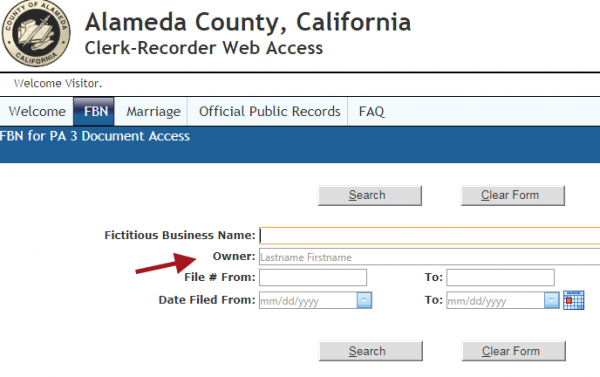
ThompsonPI: Read the fine print on searching online Recorder indexes. SomeXs names are reversed, require a comma, or not.
2009-10-13 23:32:31 · Reply · View
October 12th, 2009

Twitter Tweets about Internet Research as of October 12, 2009

ThompsonPI: "7 News Trackers - Search Companies and Topics By Keyword " http://pibuzz.com/2009/10/11/newstrackers
2009-10-11 23:30:37 · Reply · View
October 11th, 2009

Twitter Tweets about Internet Research as of October 11, 2009

ThompsonPI: Stay current on all my public links for investigators, lawyers and legal fact-finders thru RSS. http://www.diigo.com/user/tamarathompson
2009-10-11 18:40:45 · Reply · View
October 11th, 2009

7 News Trackers - Search Companies and Topics By Keyword

There are many free news tracking sources that send alerts to your email, RSS reader or are stored at a web-accessible site. Don’t limit yourself to just one aggregator, such as Google News — which is easy to set up and has good coverage. I’ve gathered a list of some other keyword news search and tracking tools to uncover and keep track of the online mentions of your brand, client, opposition or topics of interest.

1. “Ultimate News Database” - infoPig (http://www.infopig.com)
View news on designated topics, by major news outlets or related to geographical regions. You can also construct queries of keywords and receive those in your newsreader.

2. “Personalized News Aggregator” - Meehive (http://www.meehive.com)
Build a newspaper style webpage with custom keywords. No RSS or email export. Invite others to view your page at Meehive or on your social network.

3. “Keyword-Based RSS Feed Generator” - Kebberfegg (http://www.researchbuzz.org/tools/kebberfegg.pl)
Send personalized keyword searches to your newsreader. Search the web, news, blogs and more. The news sources and aggregators identified are: BBC, NewsisFree, FeedsFarm, Google News, IceRocket News, NewsTrove News, RocketNews, Topix.net, FindArticles, Wired, Findory, Yahoo News, MSN News, Moreover, Go Articles, Highbeam.

4. “Most comprehensive index of popularly tracked categories” - Trackle (http://www.trackle.com)
Receive keyword matches on the web, in your email or by RSS. Select the “News and Politics” category to query headline, local, global and topical news sources.

5. USNPL Newspaper Search - (http://is.gd/4eoOV)
Formulate advanced search queries, just as you would at a major search engine, to retrieve results from all newspapers at this site. There’s no RSS feature.

6. “A Top 10 online newspaper destination” - Topix (http://topix.net)
There doesn’t seem to be a convenient RSS feed, so you’ll have to make your own. Create your RSS feed for this site with the URL:

http://www.topix.net/search/article?xml=1&q=%22keyword%22
Replace the term “keyword” with your word or phrase and paste the URL in your newsreader.

7. Real-Time conversation monitoring - Twitter (http://twitter.com)
Select users to follow, or track mentions of your keywords and receive updates by RSS. Other applications offer alternative ways of viewing results and more rapid returns than email, if you’re monitoring in the application. See Monitter (http://www.monitter.com) and TweetDeck (http://tweetdeck.com). These services use the Twitter search engine but the Twitter search (http://search.twitter.com) is more robust, and that’s also viewable in your newsreader. But this searches the postings not the Bio or Name fields. For that see Using Google’s New Features to Get Twitter Information (http://is.gd/4eo3F).

October 9th, 2009

Twitter Tweets about Internet Research as of October 9, 2009

ThompsonPI: RT @lsuttell: "Pretexing, Legal Ethics and Social Media" http://is.gd/45Mok 1. Don’t talk to rep. parties. 2. Don’t impersonate gov. agent!
2009-10-09 01:35:59 · Reply · View
October 4th, 2009

Twitter Tweets about Internet Research as of October 4, 2009

ThompsonPI: New blog post: Finding, Skip Tracing and Locating Women - Tip #2 pibuzz.com/2009/10/03/findingwomen2
2009-10-03 23:43:56 · Reply · View
October 3rd, 2009

Finding, Skip Tracing and Locating Women - Tip #2

In tip #1 of Finding, Skip Tracing and Locating Women I mentioned one free people finder site and the wildcard tool that can bypass the last name requirement — most helpful in locating women who are probate beneficiaries, potential witnesses in a legal matter or the birth mother of someone relinquished for adoption long ago.

There are many Internet sites for identifying current last names of women — searching by first name only — for whom the investigator may only have a birth name or former married name. Each site returns different results so you’ll want to use more than one, if at first you don’t find what you’re looking for.

At the site, classmates.com, I performed a similar search to the one I did in tip #1, except that there’s no field to restrict the results by year of birth or full birthdate. In that case, I entered just the first name and a state. The results give last names and birth names and the name of the school with the attendance years. You can use this to narrow the birth year. The tip #1 search site returned 17 matches. I supplied first name, age and state. Classmates returned 67 matches associated with first name and state. Very few of these matched the age of the subject, based on the listed graduation years. It’s a limited source but still supplements other sites.

Do you have a favorite website or database that allows searching by first name?

October 3rd, 2009

Twitter Tweets about Internet Research as of October 3, 2009

ThompsonPI: Expand your due diligence investigations. Free state and federal case search. Registration req. to view case details. http://is.gd/3UKEf
2009-10-03 18:53:13 · Reply · View
ThompsonPI: Skip tracing? Heir or adoption locates? Finding, Skip Tracing and Locating Women - Tip #1 pibuzz.com/2009/10/03/findingwomen-1/
2009-10-03 18:10:08 · Reply · View
October 3rd, 2009

Finding, Skip Tracing and Locating Women - Tip #1

Anyone who finds people for a living, as private investigators do, knows the frustration of locating women. They change their names. Often many times over the course of their lives. This is a challenge to the heir finder who has a name from many years in the past that she has to update in order to locate her subject.

Use the free portion of a people finder site that allows you to search by first name and date of birth. But you also have to use a workaround on sites that require a last name to perform the search. This involves the handy wildcard. In this case, we’ll apply the asterisk.

At the site peoplefinders.com enter a first name in that field and an asterisk (*) in the last name field. Add date of birth or year of birth. This will work until the search interface is changed — which may happen just as soon as the powers that be see this tip!

That’s tip #1 in Finding, Skip Tracing and Locating Women. Do you know of other sites where a skip trace by first name can be performed?

October 1st, 2009

Twitter Tweets about Private Investigator as of October 1, 2009

kelvynanderson: Twitter Tweets about Private Investigator as of September 30, 2009:

Leoramaccabee: @PIbuzz Thanks Lori!
2009.. http://bit.ly/1QzUFP

2009-10-01 06:25:43 · Reply · View