Private Investigator Public Records Internet Search Privacy Reporting – PI Buzz

Private Investigator | Public Records | Internet Search | Privacy | Reporting | Personal Information | Adoption | Genealogy |

August 19th, 2010

California Bell tolls, but not much

The proposed California Senate Bill 501, “Local government: compensation disclosure”, isn’t an earth-shattering transparency measure. Particularly in light of the Bell city government pay debacle.

The measure would require officers and designated employees to annually file a compensation disclosure form listing their salary and non monetary benefits. I thought the payroll department knew these figures. It seems odd that the employee is providing this. And anyway, what’s a “designated employee”?

“Designated employee” means a designated employee of a county, city, city and county, school district, special district, or joint
powers agency formed pursuant to the Joint Exercise of Powers Act
(Chapter 5 (commencing with Section 6500) of Division 7 of Title 1)
who is required to file a statement of economic interests pursuant to
Chapter 7 (commencing with Section 87100) of Title 9.

Get it? Not every employee must file the disclosure form, just the same people who are required to file a Form 700, Statement of Economic Interests. According to the California Fair Political Practices Commission that is “certain state and local elected officials, judges, high level state employees, and certain employees for the assembly and senate.”

Since the names, job classifications, salary, compensation and retirement benefits of every local and state government employee in California are a public record why aren’t they all online? In fact, this almost never happens. Hermosa Beach may be the only California municipality to post names and salaries of all employees. Trawl through these links for starters.

Just as we have seen a scramble by California local governments to claim the moral high ground by posting salary schedules (post Bell, no workers’ names) on their websites, the same sites may come down if they balk at the bill’s mandate:

If the county, city, city and county, school district, special district, or joint powers agency maintains an Internet Web site, it shall post the information contained on the filed compensation disclosure form on that Internet Web site.

Otherwise, it’s back to fighting the local agencies, and paying the designated fees!

September 12th, 2009

Custom Search Engines for Journalists, Private Investigators and Attorneys

A common complaint about search query results from search engines is that too many are unwieldy, returning far more than one can troll though. But that’s also the advantage of search engines — they grab a lot of content. Google makes it easy to build custom search engines of just the websites that you want to search. I’ve created many of these, some of which are in the “Resources” category on PIbuzz.

I’m in California and much of my due diligence work is based here so I have a particular interest in California content. And I want to track California news and issues on public records, open government and law. The newest addition to my search engines is California News, which just searches California newspapers. Select the link, formulate your queries and search content in all California newspapers. Let me know if I’ve missed any.

June 3rd, 2009

California and Federal Legislation Affecting the Private Investigator

California legislation that the California Association of Licensed Investigators (CALI) is tracking:

Protection of Consumers through Continuing Education
SB 202 [Harman]

Prohibitions against Use of Credit Report Information
AB 943 [Mendoza]

Meal and Rest Periods & Licensed Private Investigators
SB 287 [Calderon] and SB 380 [Dutton]

Flexible Work Schedules
AB 141 [Tran] and SB 187 [Benoit]

Expansion of Paid Sick Days
AB 1000 [Ma]

Fair Concealed Weapon Application Process
AB 357 [Knight]

Timely Testing of DNA Specimens
SB 439 [Wyland]

Insured’s Access to Accident Reports
AB 470 [Niello]- Support

Peace Officer Identification
SB 169 [Benoit]

Restrictions on Technology
AB 255 [Anderson]

BSIS Posting of Accusations and Disciplinary Actions
SB 599 [Negrete McCleod]

Federal legislation that the National Council of Investigation & Security Services (NCISS) is tracking:

HR-2221 The “Data Accountability and Trust Act” by Rep. Bobby Rush (D-IL). A hearing was held earlier this spring. Rep. Rush has pledged to work with another subcommittee chairman on this and other issues relating to the Internet, leading to a vote this summer.

S-139 The “Data Breach Notification Act” by Senator Diane Feinstein (D-CA). The bill is pending in the Senate Judiciary Committee. Chairman Pat Leahy (D-VT) may introduced his own version of data breach legislation. He pledged earlier this year to make privacy legislation a priority.

HR-122 “Protecting the Privacy of Social Security Numbers Act of 2009″ by Rod Frelinghuysen (R-NJ). We met with the Congressman’s staff to urge that an exemption be provided to permit investigators access to critical information.

S-141 “Protecting the Privacy of Social Security Numbers Act” by Senator Feinstein. Although the bill includes a helpful exception for “business to business” transactions, NCISS is urging a more specific exemption.

HR-1529 “Second Chance for Ex-Offenders Act” by Rep Charles Rangel (D-NY). The bill would provide for expungement of federal criminal records.

S-30 “Truth in Caller ID Act” The bill prohibits “spoofing” with the intent to defraud, cause harm, or wrongfully obtain anything of value”.

HR-1409/S560, the “Employee Free Choice Act” This major labor reform would deny employers the right to obtain a secret ballot vote for organizing efforts and would impose binding arbitration in when no first agreement can be reached. It is labor’s top priority and the fight is led by the SEIU which has attempted to organize guard companies.

May 17th, 2009

Public Records, Not Public Records and Private Investigators

Government agencies won’t put public records on the Internet but the former Santa Bernardino County Assessor found a technological runaround to making his emails a public record.

A private investigator and the former supervisor of the Worthless Check Division in the St.Tammany (Louisiana) District Attorney’s Office were sentenced to three years’ probation for buying and selling criminal information from the National Crime Information Center database. The DA employee got the heavier sentence — she also lost her job.

Nebraska Supreme Court ruling: Burial records from a state run cemetery are a public record. The Department of Health and Human Services (DHHS) claimed that the federal Health Insurance Portability and Accountability Act (HIPAA) applied because the cemetery was for residents at a former psychiatric hospital. But the court noted that HIPAA allows for the disclosure of protected health information when required by state law, and that Nebraska’s public records laws trumped HIPAA because these are death records, which are open records. Reported by RCFP.

Texas media, private investigators and genealogists are opposing the efforts of the Texas legislature to exempt the dates of birth of government employees from disclosure as a public record. The media has uncovered misdeeds by employees of the Texas Youth Commission — matching dates of birth with employee names — involving abuse of people and the public trust. Shielding dates of birth in public records does not protect the public from identity theft, as legislatures claim when attempting to carve out more public record exemptions.

May 8th, 2009

Is It Legal for A Private Investigator To Lie On MySpace?

Next week the U. S. District Court of California will issue the sentence for Lori Drew, the MySpace “cyberbully” who was convicted of violating the MySpace terms of service when she created a false profile. [See my article, Think Twice Before Going Undercover.] In that piece I talk about some of the considerations for the investigator who is tempted to fabricate an identity on a social networking site in order to gain access to a user’s otherwise private profile.

Here’s a legal issue to mull over. Perhaps this applies in other states, but in California, in criminal cases, the criminal defense investigator or prosecution investigator can’t interview a potential witness without first “clearly identifying himself or herself.” This is found in California Penal Code 1054.8:

1054.8. (a) No prosecuting attorney, attorney for the defendant, or investigator for either the prosecution or the defendant shall interview, question, or speak to a victim or witness whose name has been disclosed by the opposing party pursuant to Section 1054.1 or 1054.3 without first clearly identifying himself or herself, identifying the full name of the agency by whom he or she is employed, and identifying whether he or she represents, or has been retained by, the prosecution or the defendant. If the interview takes place in person, the party shall also show the victim or witness a business card, official badge, or other form of official identification before commencing the interview or questioning.
(b) Upon a showing that a person has failed to comply with this section, a court may issue any order authorized by Section 1054.5.

A violation could lead to the exclusion of the evidence obtained from that interview. Isn’t the investigator attempting to “interview, question, or speak” to a witness when the investigator accesses the witness’s non-public social network profile? The private profile requires the participants be accepted as “friends” and is a mouthpiece for the account holder to speak to her selected audience. The investigator who disguises his identity to pry open that witness’s cyber door could risk the exclusion of any evidence gathered through that pretext, as well as picking up a misdemeanor.

February 6th, 2009

This week in public records: California

A California appellate court has settled a public records case — the right of access to a Santa Clara County GIS parcel mapping database — in favor of the plaintiffs, the California First Amendment Coalition. The county alternately demanded an exorbitant fee to access the database, then claimed that it was protected for national security reasons, even though they had already sold it to some private parties. Huh? Unbelievably, Santa Clara County argued that release of the digital maps might make the water supply a target for terrorists? Pleeease…

Support the CFAC’s efforts to keep government records open and express your appreciation for their free legal hotline.

In another, but unfortunate court decision, the Third Appellate District court exempted from disclosure crime-related autopsy records, claiming they are encompassed under the California Public Records Act exception for police “investigatory files”.

September 26th, 2008

California EMT Registry Created

Formal disciplinary actions against a California Emergency Medical Technician will now be available as a public record, thanks to AB 2917, signed by the governor today.

AB 2917 will provide the public with with certification and licensure information and create an EMT registry, specified by Section 1797.117 of the Health and Safety Code.

The legislation details the personal information that will be a public record, which is similar to that which is available on other California professional licensees.

The information made available to the public through the centralized registry system shall include all of the following data elements: the full name of every individual who has been issued an EMT-I or EMT-II certificate or EMT-P license, the name of the entity that issued the certificate or license, the certificate or license number, the date of issuance of the license or certificate, and the license or certificate status.

July 12th, 2008

This week in public records: North Dakota – California – Tennessee – Kentucky – Missouri – Alaska

Juror names and jury questionnaires are public records and subject to disclosure even if a trial judge has made promises to the contrary. At least in North Dakota. A ruling by that state’s Supreme Court, cited by the Associated Press, rebuffed a trial court’s claim that the records in one case were sealed out of fear that the jurors could be harassed.

“We conclude those reasons, by themselves, are insufficient to rebut the presumption of openness and to warrant a blanket closure in this case…”

Court rulings may seem like a bouncing ball when it comes to privacy, public records and electronic messaging. The 9th U.S. Circuit Court of Appeals in San Francisco has asserted that companies do not have an automatic right to access employees’ text messages if the data is stored on outside servers. Read more about this decision and the significance for privacy and data management. Some other news stories on email access and public records can be found at WikiFOIA.

Maybe it’s a trend in the refinement of the sex offender databases and regulation of where registered sex offenders can live.Tennessee has joined Indiana (see this court ruling on the Indiana law), Missouri, Kentucky and Alaska requiring registered sex offenders submit their email addresses, which are being added to those state online databases. States can’t keep track of the physical location of registrants so the email address disclosure may not be of much value to public safety.

July 3rd, 2008

This week in public records: California – Pennsylvania – North Dakota – Arizona

Government agencies in California can’t assign control of records that would otherwise be public records to a private entity. SB 1696 enrolled. New Law Allows Greater Access to Government Contracts, PolitickerCA.com, Adam Keigwin.

A Pennsylvania open records blog reports that the recent overhaul of the Pennsylvania Right To Know Law includes a requirement that records held by private companies doing business with the government may be a public record.

Emails on the private home computers of government appointees serving on a foundation benefiting public schools are public records, according to an opinion by the North Dakota Attorney General.

I recently discovered that police records in Arizona, even in open investigations, are public records. Public Records Free Directory blog reports that new legislation requires government employee disciplinary records be disclosed, with a provision that police officer’s home addresses are protected.

May 29th, 2008

California AG Interprets Public Records Act to Allow Real Property Addresses On the Internet

A little noticed but potentially significant (for public records researchers) California Attorney General opinion was released a week ago. The opinion upends the almost universal interpretation of the Public Records Act by county Assessors pertaining to disseminating property addresses on the Internet.

If you go to any California county Assessor online public inquiry you’ll see an explanation similar to this on the Stanislaus County site:

California Government Code 6254.21 states that “No state or local agency shall post the home address or telephone number of any elected or appointed official on the Internet without first obtaining the written permission of the individual.”

Therefore the agencies don’t reveal anyone’s address.The law seems to be hewed to regarding the real property addresses for public officials, right? Not according to the AG. Deputy Attorney General Daniel Stone says the common interpretation is wrong and isn’t what the legislature intended.

As a practical matter, we believe that a broad and overly literal reading of section 6254.21(a) would lead to unworkable results. Some public agencies…might conclude that they were forced to refrain from making any property-related database accessible to any internet technology, no matter how secure or limited the network, due to the possibility that the data could contain home information of public officials. Other public agencies… might conclude that they were forced to review and redact their databases… Such an identification process would be difficult, time consuming, and inevitably incomplete. Furthermore, the resulting revised property databases… would no longer be comprehensive and would therefore be of diminished utility to users. We are hesitant to conclude that the Legislature could have intended such impractical results.

Simply put, the 1998 law was “intended to prevent public agencies from posting on their public websites any list or directory of public officials’ home addresses and telephone numbers, without first obtaining each official’s written permission to be included in the listing.” In other words, government agencies can’t construct a list of names and residential addresses of government employees and put that on their Internet sites.

Giving the Assessors permission to reconsider their ban on including addresses and names in their online databases, Stone states, simply:

Indeed, we believe that if the Legislature had in fact contemplated a comprehensively literal application of section 6254.21(a), that intention would have been more clearly reflected in the statute.

Give a kindly call to your local Assessor and ask her/him what changes they anticipate making in their Internet access in light of this opinion. What did the Assessor say?

May 16th, 2008

Database of the Day: Domestic Partnership Registry

The recent California Supreme Court decision overturning California’s law banning same-sex marriage as unconstitutional provides a timely discussion of the domestic partnership registry. California, among other states and municipalities provides a means for couples — variously, same or opposite sex in civil unions or domestic partnerships — to register their relationship.

I don’t know of any online database of names of registered domestic partners, but there are data sources. This is the old-fashioned and still often the most reliable means of confirming a fact: call or visit the relevant government office! In California, the Secretary of State records the Declaration of Domestic Partnership and the Termination of Domestic Partnership. This office responds to telephone inquiries and will search by a name, providing the partner name, date of registration and the residential address. You can also go to one of the offices to get a copy of either form.

Oregon defines a domestic partnership registration as a vital record, which is confidential. Domestic Partnership Registration in New York City is with the City Clerk. County Recorder offices and state health departments are also repositories for these filings. Some cities, counties and states that have civil union or domestic partnership laws are listed here.

Currently, there are 49,550 registrations on file at the California Secretary of State. Of these, about 5,600 have filed terminations. By law, this office only accepts terminations up to 5 years after registration. Beyond that time, couples must go to court to end a domestic partnership.

What has been your experience requesting information from a domestic partnership registry?

May 13th, 2008

This week in public records: California – Florida – Ohio

It looks like the California Assembly bill that would have created an Internet Domestic Violence Registry has excised that feature from the recent draft.

The California Sheriffs’ Association has announced that VINELink will soon include all California counties, not just the 17 that are currently at that site. VINELink provides real-time status of offenders in county jails.

Private investigators will have more difficulty finding people in California if proposed legislation, Senate Bill 1423, becomes law. The bill titled, “Unlisted telephone numbers”, would ban phone companies from charging a fee to their subscribers who wish to have their phone numbers unlisted or nonpublished. In that case, won’t everyone in California request that their telephone number listing be private?

The 11th U.S. Circuit Court of Appeals ruled in favor of a law firm that obtained Florida vehicle record information for litigation purposes. The plaintiff had claimed that the firm violated the federal Driver’s Privacy Protection Act in purchasing his vehicle ownership data, but the court said that the law firm met one of the permitted exceptions. However, pending cases may lead to settlements in which ChoicePoint (and other public record providers) voluntarily agree to limit the personal information they release, even if the sale of the data complies with the law.

The Ohio Supreme Court ruled in favor of a newspaper which sought a list of names and addresses of foster care providers maintained by a state family services agency. In a complicated intersection of Ohio state public records access law and federal funding restrictions, the agency must determine which records meet the Social Security Act exception to disclosure.

May 11th, 2008

This week in public records: California – Missouri – New Jersey

The Marin Independent Journal prevailed in its 2 year tussle with the county to obtain county employees salaries, finally decided by the 1st District Court of Appeal. And the newspaper has made county salary data available at its Web site. Salaries of earners over $100, 000 can be searched by name or agency at the Marin Independent Journal. I have a link to this and all other salary databases across the USA that I’ve been able to identify.

The Missouri Attorney General is seeking to shut down Web sites that sell personal information, such as Social Security numbers, to the general public on Missouri residents. The current lawsuit names A1 Peoplesearch, LLC. A recently prior action seeks to stop Publicdata.com from selling the same type of personal information. Even though the companies are based outside Missouri they are selling data with Social Security numbers and dates of birth of Missouri residents. The Jackson County Circuit court issued a restraining order last week prohibiting A1peoplesearch “from selling such information about Missourians or allowing consumers to search its database using Missourians’ Social Security numbers.”

The New Jersey Supreme Court has broken new ground in its ruling that Internet service providers cannot release users’ personal information without a valid subpoena. A local police department investigating a possible computer access crime submitted a subpoena to the Internet Service Provider that wasn’t associated with any filed court case. The court determined that under the New Jersey constitution residents have more extensive privacy rights than provided in the U.S. constitution.

April 16th, 2008

Database of the Day: Medicare Service Providers

If you’re researching background on health care providers take a look at the National Plan and Provider Enumeration System database. You’ll find any type of medical service provider who accepts Medicare or Medicaid. Search by partial name, city, state or zip code. Results may include home address, business address and telephone number, type of service offered, professional license type and number, and the states in which they are licensed.

The database isn’t limited to licensed professionals; it also includes case managers and addiction recovery service staff, among others. Some non doctor licensees include acupuncturists, chiropractors, physical therapists and nurses.

Addiction recovery counselors in California may be certified by any accredited organization. Two certification databases are at the California Certification Board of Alcohol and Drug Counselors and the California Association of Addiction Recovery Resources. Find people working as alcohol and drug counselors, who may not be certified, at the American Academy of Health Care Providers in the Addictive Disorders database. This site also lists the employers.

March 12th, 2008

Database of the Day: California Escrow Agents’ Employees Disciplinary Actions

Search by name or partial name to find disciplinary actions by the California Department of Corporations against employees of escrow agents. Results provide full name, date of action and the restriction imposed.

This database contains listing of individuals that, from January 1, 1991 to the present, have been censured, suspended, or barred by the California Department of Corporations pursuant to Financial Code section 17423 of the Escrow Law.

February 25th, 2008

Database of the Day: Alameda County Sheriff Inmate Locator

Alameda County, California has not been as advanced as other counties making public records available on the Internet. The Alameda County Sheriff joins other Sheriff departments which have created a database of current inmates. Lest public records become too easy to access, identification of inmates requires full first and last name, or PFN. Also unlike Vinelink- which will return all first names starting with the first two letters entered- the Alameda County Inmate Locator only provides names of in-custody inmates. But the record detail provides extensive information on the place of arrest, the arresting agency and report number, criminal charges, upcoming court hearings, personal data (including alias’) and physical description.

The site advises that inmates “in certain circumstances, may not appear on this site based on exemptions provided under Government Code section 6254(f).”

Al Co Inmate.jpg

February 7th, 2008

This week in databases: California – Connecticut – Immigration Doctors – DEA Registrant Actions

Those who research historical records – as I do for Quiet Title actions, family history and heir locates – will find the new California Voter Registrations – 1900-1968, supplied by Ancestry.com very helpful. You can search a name for free, but a subscription is required to view an image of the record.

ancestry voters2.jpg

The State of Connecticut Judicial Branch, Conviction & Bond Forfeiture Dispositions Criminal/Motor Vehicle database supplements the Pending Criminal Cases search.

The holdings and limitations are described at the site.

# Each Criminal And Motor Vehicle Charge Disposed On And After January 1, 2000 In Which The Court Disposition Was A Conviction Is Included

# Each Criminal And Motor Vehicle Charge In Which The Court Action Was Concluded By A Bond Forfeiture Order On And After January 1, 2000 Is Included

* A Motor Vehicle Matter Disposed By Way Of Bond Forfeiture Is Deemed A Conviction Pursuant To Connecticut General Statutes Section 14-1(a)(18)

# Youthful Offender And Juvenile Cases Are Not Displayed

# This Criminal History Record Information May Change Daily Due To Erasures, Corrections, Pardons, And Other Modifications To Individual Criminal History Record Information.

Identify civil surgeons who have been designated by the Bureau of Citizenship and Immigration Services to perform medical exams on applicants. Search by state or zip code. Or search by name from a search engine with the query: name site:uscis.gov. Replace the word name with the personal name.

Find criminal and administrative actions against doctors at the Drug Enforcement Administration, Diversion Control Program site. A search by last name or year returns name, location, date of arrest, conviction result, DEA registration status and a case summary. This database goes back to 2003. Search older registrant actions from a search engine with the query: name site:www.deadiversion.usdoj.gov/.

January 26th, 2008

Violence Registries

I guess the sex offender registries have been a sufficiently popular idea that states are continuing to create boutique criminal records databases. Baltimore, Maryland recently approved legislation that would create a public Gun Offenders Registry, requiring those convicted of gun related offenses register their name, address, and photograph with the police department. As yet, a Web database is not available.

California could become the first state to have a Domestic Violence Offenders Registry.

Minnesota, Tennessee and Illinois have Methamphetamine Offenders Registries. Montana includes convicted meth manufacturers in its Sexual and Violent Offender Registry. Oklahoma lists the offenses that require registration in its Sex and Violent Crime Offender Registry. Georgia, Kansas Kentucky and Connecticut briefly considered adding a violent offender registry to their roster of convicted criminal databases. Similar legislation is still alive in Hawaii.

The Illinois State Police maintains the Child Murderer and Violent Offender Against Youth Registry.

The flush of interest in drug dealer registration faded in Maine, New Mexico and Illinois last year, but is still alive in New York. New Mexico has a DWI Offender Database.

Find out if a Michigan drivers license is valid or has been suspended or revoked by searching the Repeat Offender Inquiry.

And, on the meth makers theme, the DEA National Clandestine Laboratory Register, “contains addresses of some locations where law enforcement agencies reported they found chemicals or other items that indicated the presence of either clandestine drug laboratories or dumpsites.”

January 8th, 2008

California Private Investigators Help Florida Authorities Nab CyberStalker

Here’s a very positive story about a PI firm in California that was working on a local case stumbled upon a teen MySpace cyberstalker. As a result of their investigation, Lee County Sheriff’s Office made an arrest in the Southwest Florida county.

The private investigators found a web page for a Southwest Florida teen who deputies say made some very serious threats. The web page was allegedly put together by a teen that goes by the user name, Bloody Bon3. The teen is now charged with cyberstalking for using MySpace to threaten other people.

More details can be read here.

December 7th, 2007

Google indexing Florida government records

It will be easier to find Florida public records through a Google search without having to mine each government database, now that the Florida state government has a cooperative arrangement with Google to index their sites.

Search the name “Villalobos” within Florida government records by formulating this query:

villalobos site:state.fl.us

All of the initial results are for Senator Villalobos at the legislature’s Web site. If he’s not your target, search again, removing that site:

villalobos site:state.fl.us -site:leg.state.fl.us

One set of public records is various state license holders.

Examine the search results to uncover new types of public records. Scroll down to the link to a Florida Department of Law Enforcement document listing a “Villalobos” among those receiving an Intoxilyzer test. If you go to the public records section at the Florida Department of Law Enforcement, Alcohol Testing Program you’ll see a jumble of files that aren’t searchable here, but content within them can be plumbed at a search engine.

This document image tells you that Villalobos’ arrest took place in Broward County, which is helpful because names in the Florida court case indices won’t come up in a search engine.

I previously wrote about the other state governments – Arizona, California, Utah and Virginia - whose sites Google is also indexing.

December 6th, 2007

Research Tip: Online Court Case Index and Documents

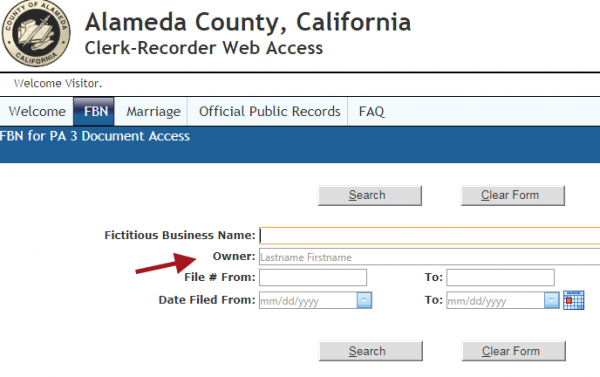
Many online court case name lookups also have document images. Some court indexes, as in the one provided by Alameda County, California, only have search and retrieval of documents by case number.

The Sacramento County Court Case Management System (CCMS) provides access to case file documents for recently filed Civil and Probate cases.

You can view all documents on Trust and Estate cases initiated after February 5, 2007 as well as all Probate Notes for hearings after February 5, 2007. You can view all documents on Civil cases (excluding Small Claims and Unlawful Detainer cases) for cases initiated after November 13, 2007 as well as Case Management Program Tentative Rulings for hearings after November 13, 2007.

It’s not as seamless as it should be. Ideally, you could conduct a name search in the Sacramento Court Name Index System to retrieve a case number and links to the documents. But the current setup requires searching in two steps, if you are searching by name and then want to get the case documents.

View the tutorial by selecting the orange and blue figures in the lower right corner of the image. Then you’ll be directed to the Slideshare site. Look at the full screen slideshow by selecting “Full” in the lower right corner of the image.

What are the parameters at your local court Web site for viewing document images online?

November 27th, 2007

California Public Records Act requests denied

What’s amiss in this California Public Records Act denial from the Sacramento City Attorney?

November 3rd, 2007

California Social Security number redaction bill now law

California bill AB1168, pertaining to the redaction of social security numbers, is now law.The legislative counsel’s analysis summarizes a key element for researchers.

This bill would declare the intent of the legislature that, in order to protect against the risk of identity theft, local agencies shall redact social security numbers from records before disclosing them to the public pursuant to this chapter. This bill also would provide that, unless required to do so by state or federal law, no person, entity, or government agency shall present for recording or filing with a county recorder if it displays more than the last 4 digits of a social security number, as specified.

County recorders will be able to assess an additional fee on document filing to fund the mandate to create a public version of every filed document, which would truncate Social Security numbers. Secretary of State forms are required to eliminate any request for Social Security numbers and the Franchise Tax Board will also truncate SSNs.

October 14th, 2007

Database of the Day: Who’s been naughty – Delinquent Taxpayers

The California Franchise Tax Board list of delinquent taxpayers (or should-be taxpayers) extends back to 1987.

“California Revenue & Taxation Code Section 19195 directs the Franchise Tax Board to publish an annual list of the top 250 taxpayers with liened state income tax delinquencies greater than $100,000.”

Pennsylvania, Wisconsin, New Mexico and New Jersey are among the states that are currently listing delinquent taxpayers, although some of these are just the top 100 taxpayers who owe the most.

Select a state Department of Revenue to locate other delinquent taxpayers lists.

September 25th, 2007

Find crime on a map or at the VINE

The San Jose Police Department has begun adding crime incidents within the past month to the crime mapping site CrimeReports. The data is maintained for about 30 days so it’s research value is limited. There appear to be 3 other police departments that are uploading data and their archiving may differ. Washington D.C. police have retained crime activity reports for 2006 and 2007. Search by date or address, with an optional selection of crime type, to see a map with icons of the various reported crimes and their general location. A popup provides a description of the incident.

On the crime theme, VineLink has a new look but the basic features are the same. It still doesn’t list the participating jails and prisons, so you just have to figure that out when you search within a state or county. The opening page has a color coded map of the U.S., designating states that have “statewide VINE” (blue) and those in which some counties participate (kinda red). As in all criminal records matters “statewide” doesn’t mean the whole state. Gee, who would’ve thought! In the case of California, it means about 15 counties and, as all of us here know, it does not include the Department of Corrections.

Go to MapBuilder if you want an easy utility to create your own map themes and plot places, incidents and things. See the variety of maps that users have built and search by map places and other characteristics.